
Sign a memo in the Employee Portal
When HR sends a memo you need to sign, it shows at the top of your Home page and in your Inbox. Open it, read it, type your full name, draw your signature with your finger or mouse, and select I agree and sign. Your signed copy is saved to your 201 file, and you can download it from the memo.
Your company may send you a memo that you need to sign, for example a new safety rule or a policy update. Signing confirms you received and read it.
Find the memo
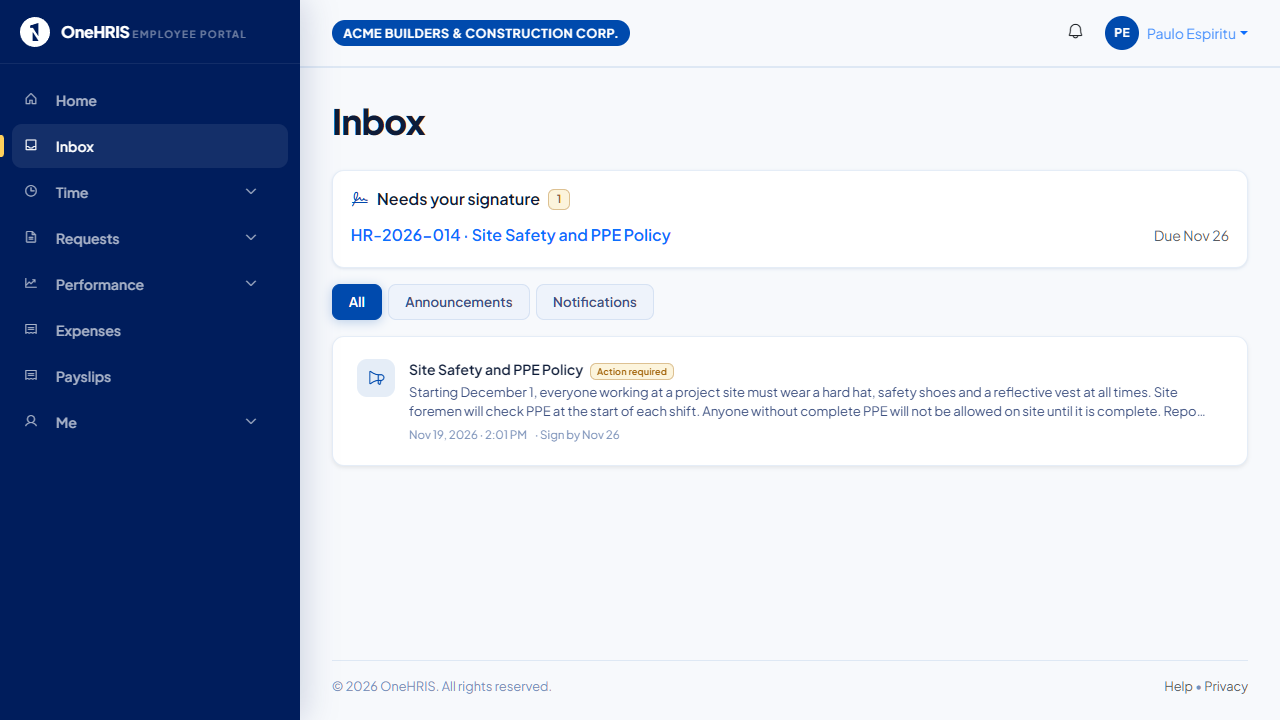
A memo that needs your signature shows at the top of your Home page. Select Sign to open it.

It is also listed under Needs your signature in your Inbox, with the due date. If you use the OneHRIS mobile app, you also get a push notification.
Read the memo
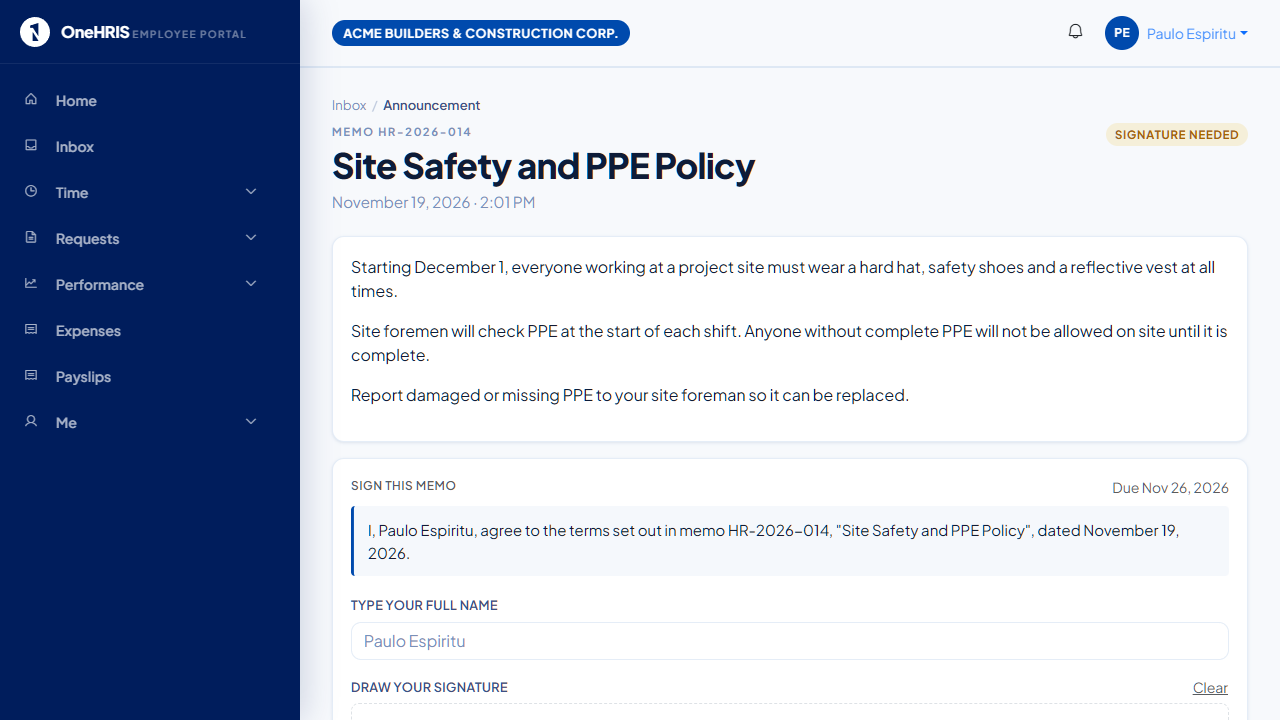
The memo opens with Signature needed at the top. Read it in full. If there is an attachment, select Download attachment or Open link to read that too.
Sign it
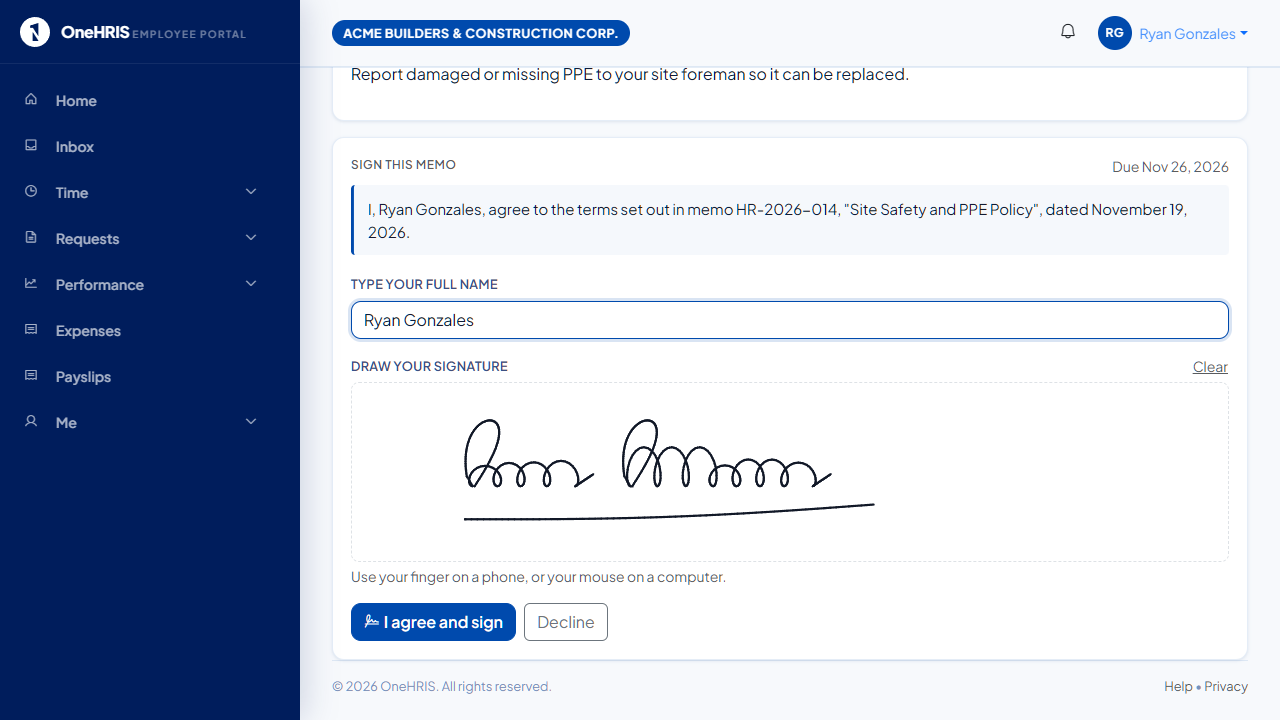
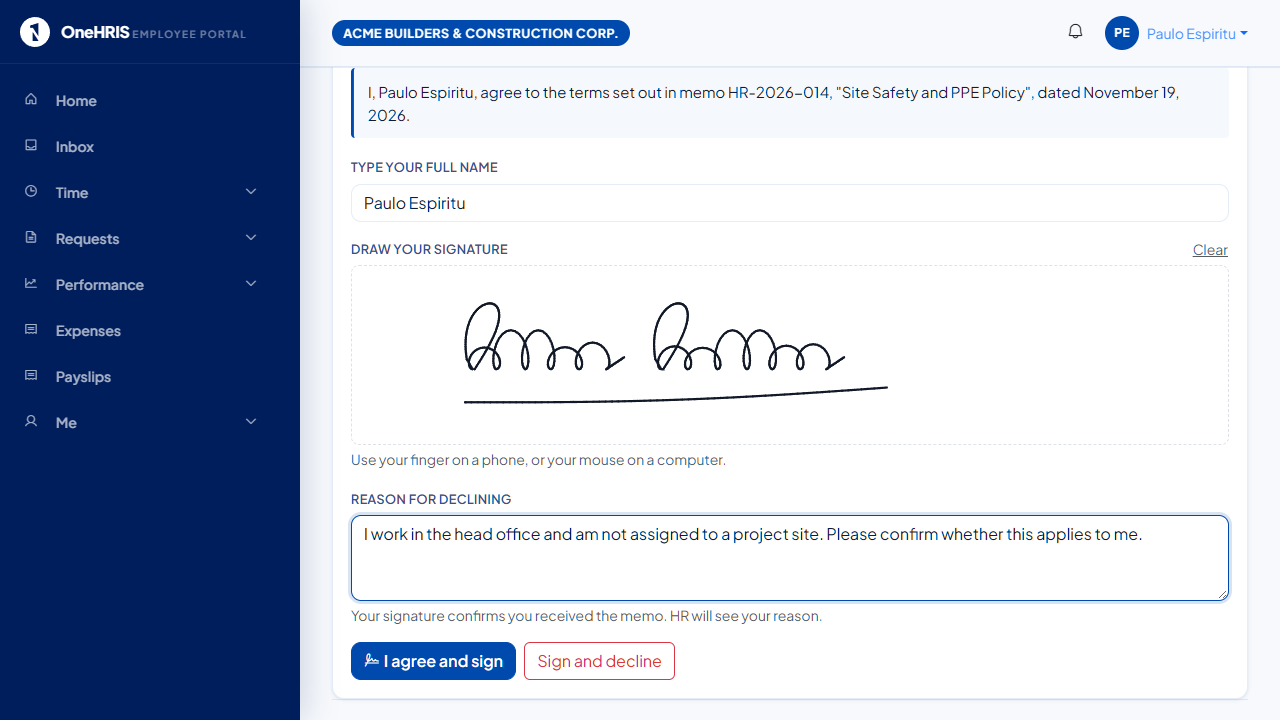
Scroll down to Sign this memo. The statement you are signing is shown with your name already filled in.
- Under Type your full name, type your name.
- Under Draw your signature, sign in the box with your mouse on a computer, or your finger on a phone. Select Clear to start again.
- Select I agree and sign.
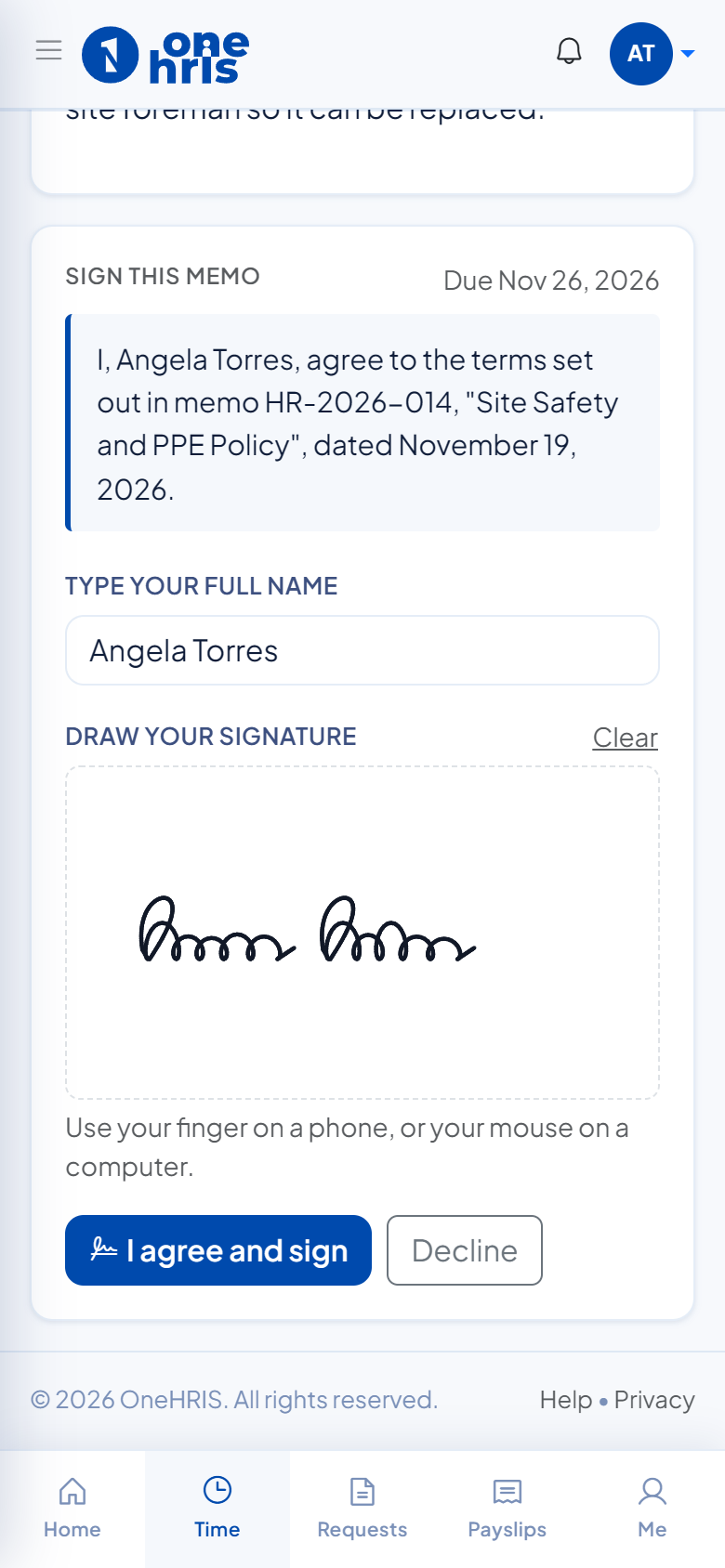
On a phone, the signature box fits the screen. Draw with your finger:
If you don't agree
Some memos let you decline. If you see a Decline button:
- Type your name and draw your signature as above.
- Select Decline, then write your reason.
- Select Sign and decline.
Your signature still confirms that you received the memo. HR sees your reason and can follow up with you.
If there is no Decline button, the memo can't be declined. Contact HR if you have concerns.
After you sign
The memo now shows Signed, with the statement you signed and when you signed it.
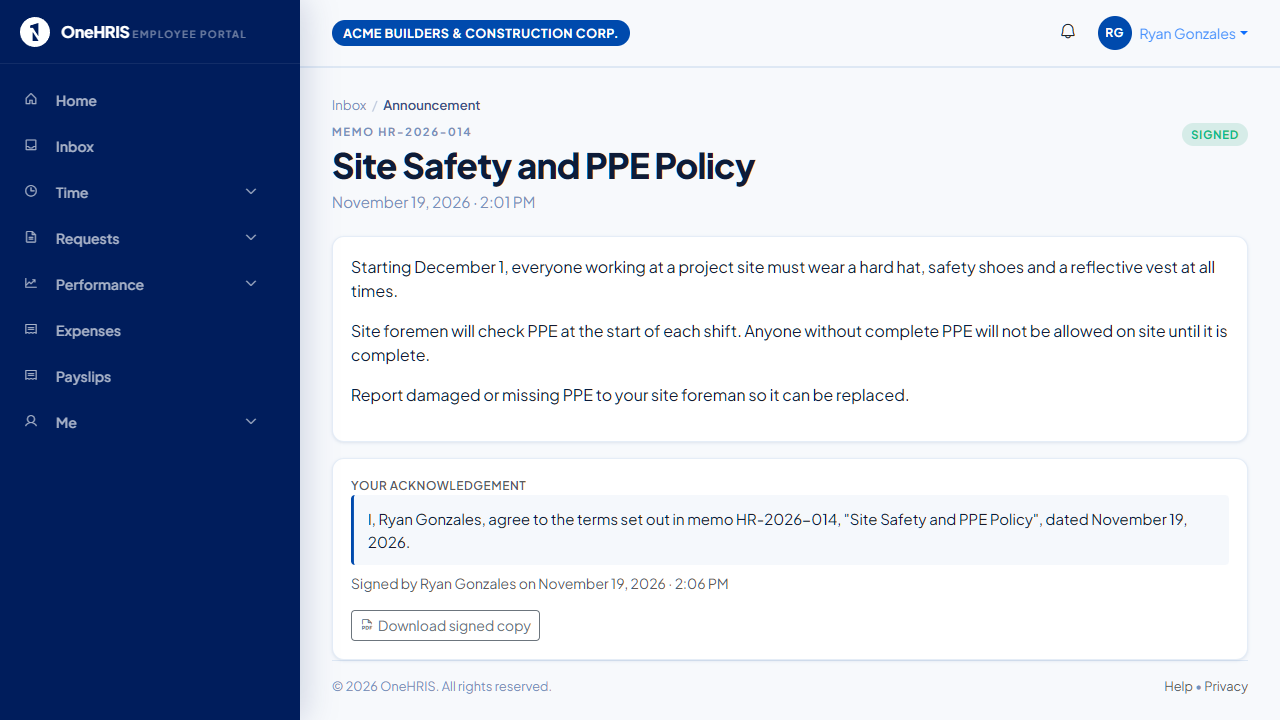
- Select Download signed copy for a PDF of the memo with your signature.
- A copy is saved to your 201 file, so you don't need to send it to HR.
- You can't change your signature once it's done. If something is wrong, contact HR.
Due dates and reminders
If the memo has a due date, it shows next to Sign this memo and in your Inbox. After the due date the memo is marked Signature overdue, and you can still sign it. You are reminded 3 days and 1 day before the due date, on the day, and every 3 days after it.
Related
- Send a memo that employees must sign (for HR)
Questions people ask
Where do I find memos I need to sign?
At the top of your Home page and under Needs your signature in your Inbox. If you use the OneHRIS mobile app, you also get a push notification.
Can I sign on my phone?
Yes. Open the memo in the OneHRIS mobile app or in your phone's browser and draw your signature with your finger.
I made a mistake drawing my signature. What do I do?
Select Clear above the signature box and draw it again. Nothing is saved until you select I agree and sign.
Can I change or take back my signature after I sign?
No. A signed memo is a permanent record. If something is wrong, contact HR.
What if I don't agree with the memo?
If HR allows it for that memo, select Decline and give your reason. You still sign, to confirm you received the memo, and HR sees your reason. If there is no Decline button, contact HR directly.
What happens if I don't sign by the due date?
The memo is marked overdue and you are reminded every 3 days. You can still sign it, and HR can see who hasn't signed yet.
Where is my signed copy?
Open the memo and select Download signed copy. It is also saved in your 201 file, which HR keeps.