
Set up attendance policies
Attendance policies control how OneHRIS judges a clock-in: the grace period before a late mark, the rounding rules for late and undertime minutes, the half-day cut-off and the monthly tardiness threshold.
Open attendance policies
Open Settings, then Policies, then Attendance Policies.
Policy settings
| Setting | What it does |
|---|---|
| Grace period (minutes) | Late mark is applied only after this many minutes past the schedule start |
| Late rounding | Round late minutes up to the next block (5, 15, 30 min) or leave per-minute |
| Undertime rounding | Round undertime minutes up to the next block or leave per-minute |
| Half-day cut-off (minutes) | Late minutes that reach this threshold convert the record to a half-day absence |
| Late clock-in cut-off (minutes) | A clock-in this far past the start is treated as no time-in for the morning |
| Monthly tardiness threshold (incidents) | Flag an employee who is late this many times in a calendar month |
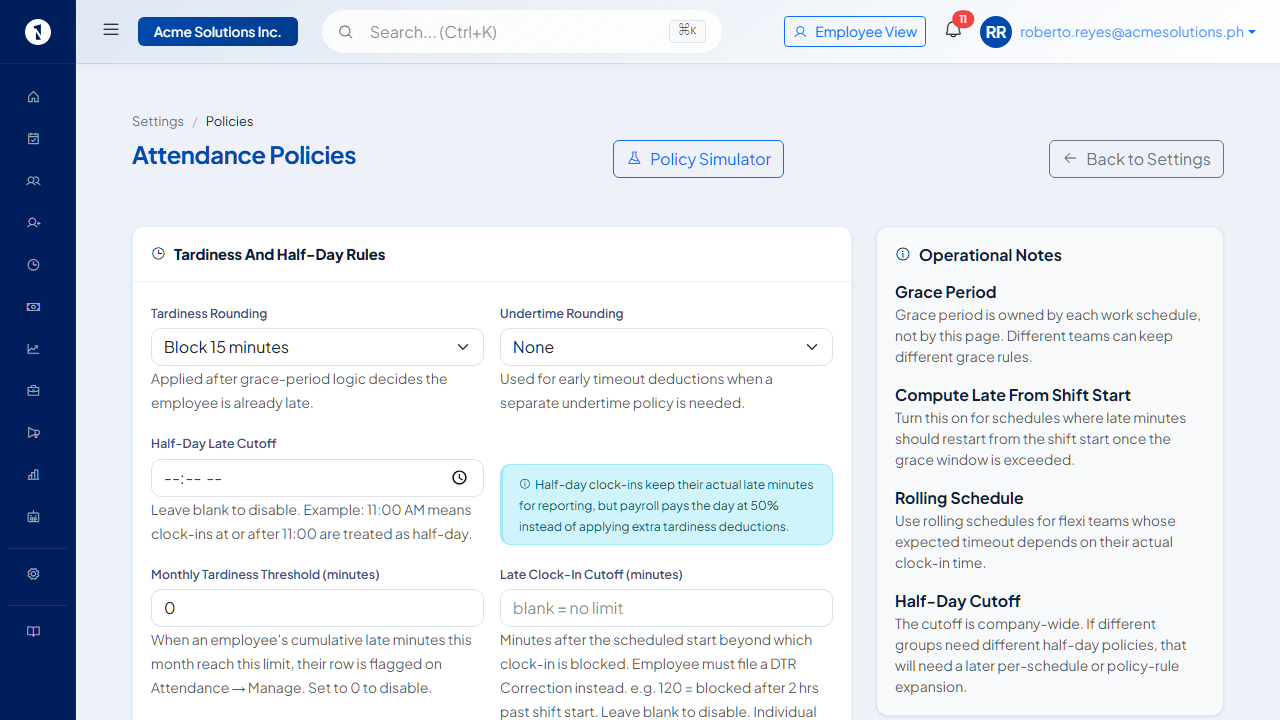 Each company has one attendance policy. Changes affect all future attendance computations.
Save and recalculate
After saving, existing attendance records keep their old computed values. To apply the new policy to past records, use Recalculate Attendance. See recalculate attendance after a schedule or policy change.
Test with the Policy Simulator
Before changing a live policy, test it:
- Open Settings, then Policies, then Policy Simulator.
- Go to the Timekeeping tab.
- Enter a schedule start time, a grace period and a clock-in time.
- Select Simulate to see which rule fires and what the late minutes are.
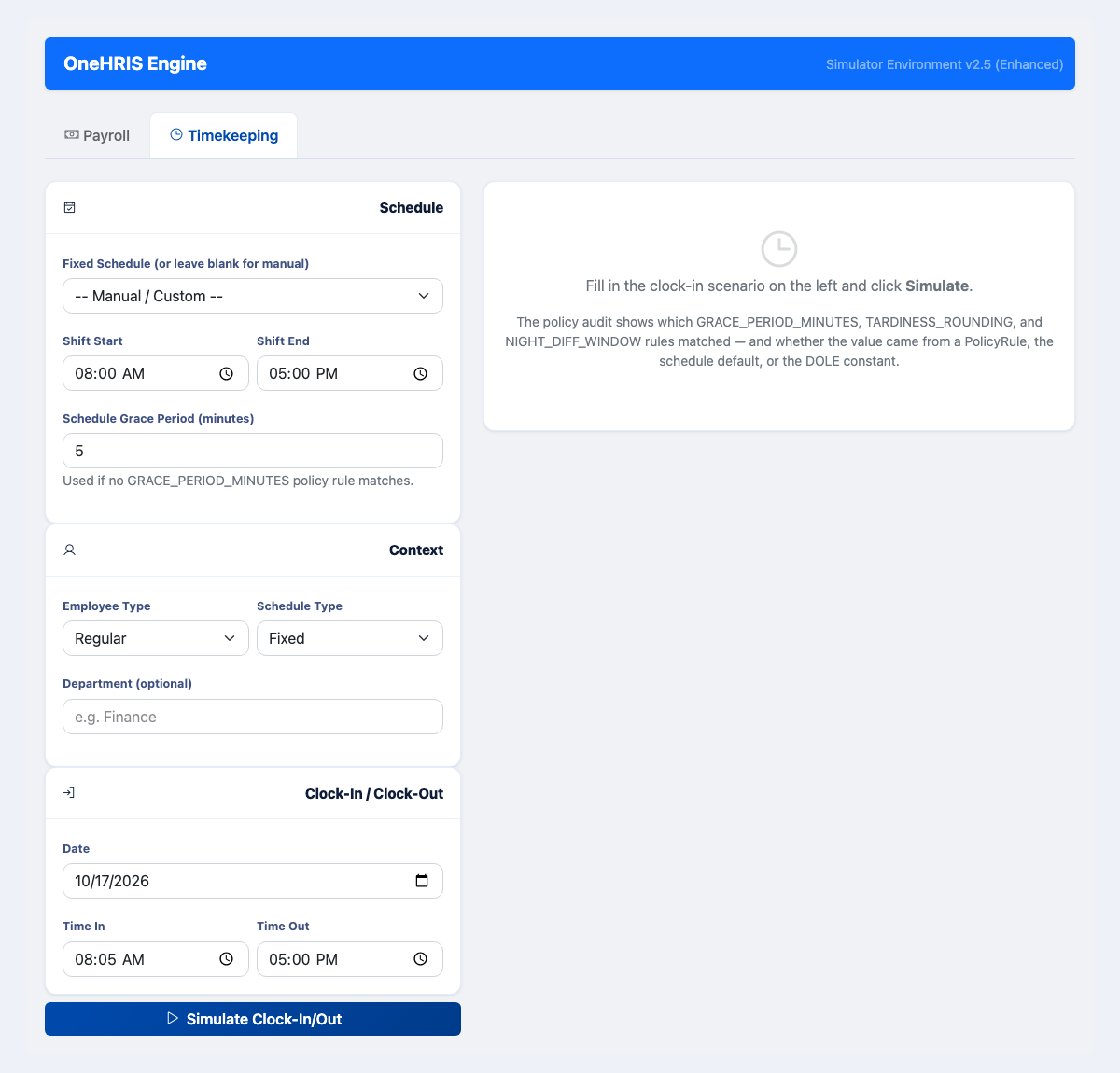 Try different clock-in times and grace periods before you change the live policy.
Overtime and rounding
Overtime rounding rules are on the Overtime Policy, not the attendance policy. See file and approve overtime for where to set the minimum overtime duration and daily cap.
Questions people ask
What is the grace period?
A number of minutes after the scheduled start time during which arrival is not counted as late. It is a company policy, not a legal requirement.
Does rounding affect the deduction?
Yes. If late minutes are rounded up to the nearest 15 minutes, arriving 3 minutes late deducts 15 minutes of pay. Use per-minute rounding to avoid this.
What is the monthly tardiness threshold?
A count of late incidents in a month after which the system flags the employee, or applies a higher deduction as configured. Set it to zero to turn it off.
Can I test a policy before saving it?
Yes. Use the Policy Simulator under Settings, then Policies. The Timekeeping tab shows how a clock-in is judged against a schedule and a policy.