
Post a job opening
Create a job posting with its department, position, headcount and closing date, then publish it. If your company requires approval, it goes to pending approval first.
Available on Pro Enterprise
Create the posting
Open Hiring, then Job Postings, and select New Job Posting. Fill in:
- Job Title and Description
- Department, Position and Employment Type
- Location
- Application form questions, where you choose which question set this job uses. Manage sets opens the sets so you can add one.
- Salary Range Min and Salary Range Max. The form marks the range as internal use only.
- Headcount and Closing Date
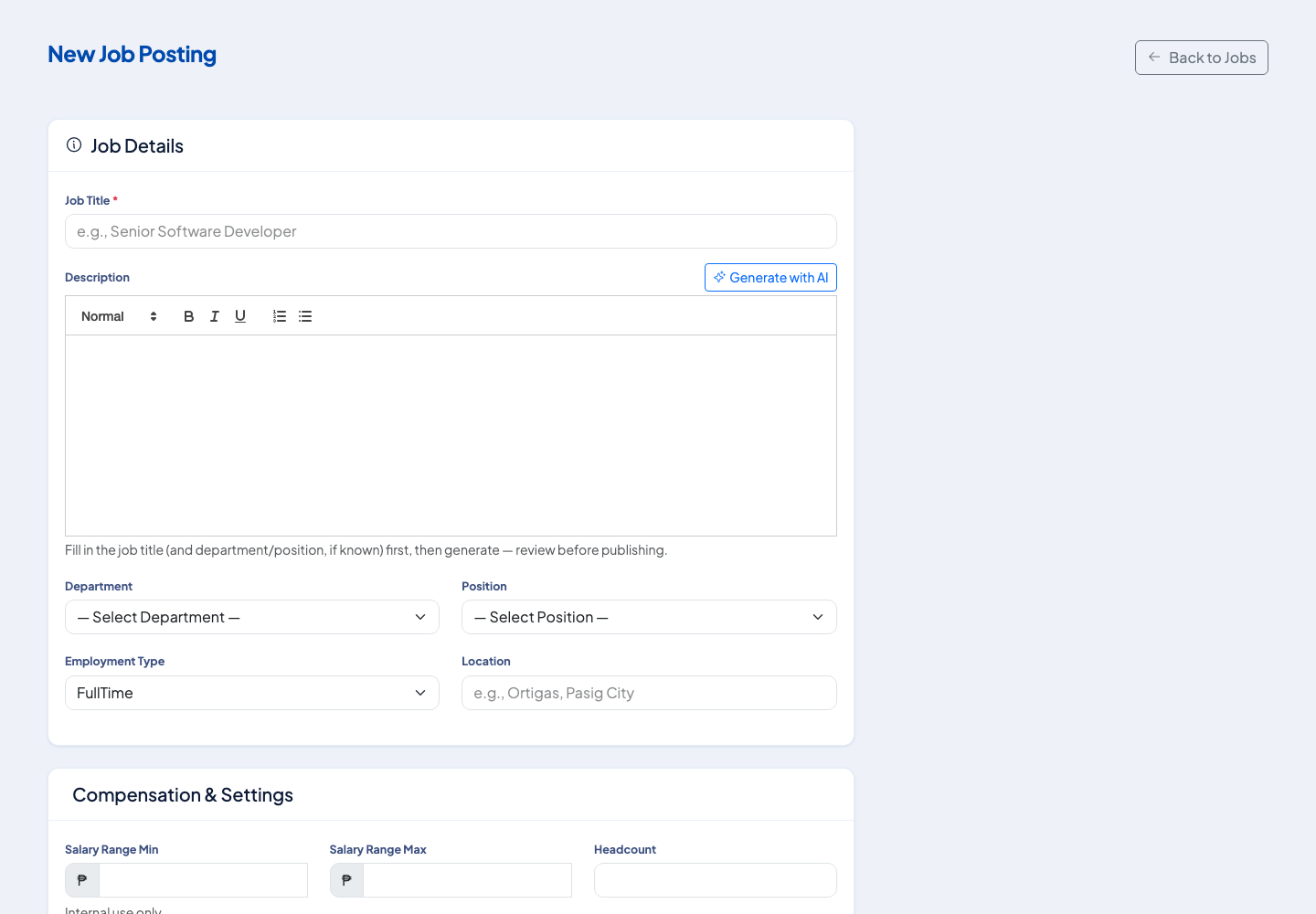 The job details section. Compensation and settings follow below it.
Draft the description with AI
Select Generate with AI next to the description. Enter the job title first, and the department and position if you know them. Read and edit the result before you publish. It is a draft, not final copy.
Save, then publish
Select Create Job Posting to save it as a Draft. Publish it from the Edit page.
- If your company does not require approval, the posting becomes Open and shows on your careers page.
- If approval is required, the message says it was saved and submitted for approval, and the status is Pending Approval. You can follow it from Approvals.
Pause or close it
A posting can be set to On Hold or Closed from its status. Use Closed when the role is filled.
Next
Applicants arrive in the pipeline. See Move applicants through the recruitment pipeline.
Questions people ask
Can the system write the job description?
Yes. Generate with AI drafts the description from the job title and, if known, the department and position. Fill those in first and review the text before you publish.
What are the job posting statuses?
Draft, Open, On Hold, Closed and Pending Approval.
Why does my posting say it was submitted for approval?
Your company requires approval before a posting goes live. It becomes Open after the approver acts.
Can different jobs ask applicants different questions?
Yes. Choose an application form question set for the job. You can manage the sets from the same page.