
Move applicants through the recruitment pipeline
Applicants move through Applied, Screening, Interview, Assessment and Offer to Hired. Each stage can have a deadline in days, and rejected or withdrawn applicants leave the pipeline.
Available on Pro Enterprise
Open the pipeline
Open Hiring, then Applicants, filter to a job and select Board. Each column is a stage and each card is an applicant. Select Move to on a card to change the stage, or open the applicant to see the full profile.
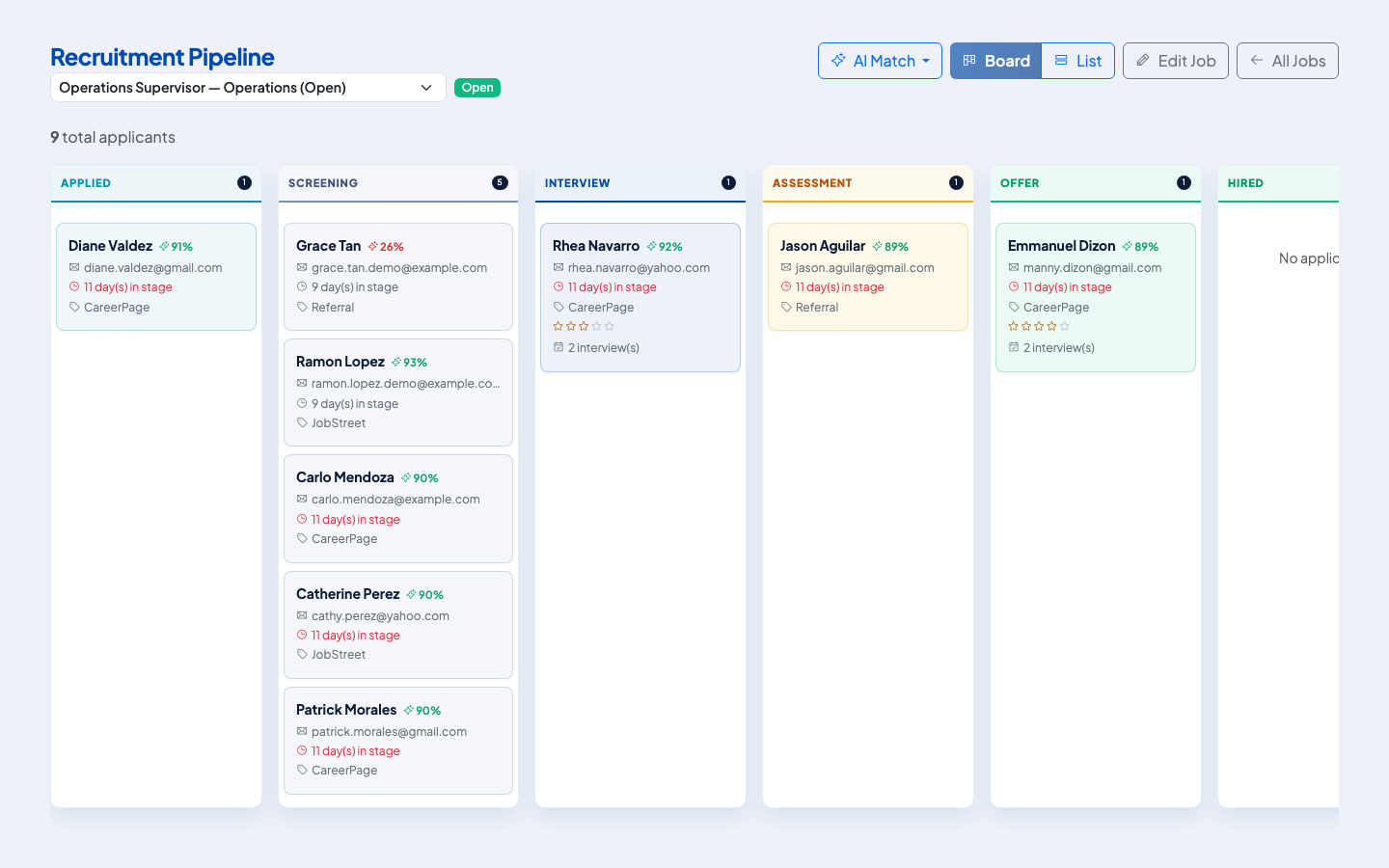 One column per stage. Each card shows the AI Match score, the days in stage and the source.
The stages
| Stage | Meaning |
|---|---|
| Applied | Application received |
| Screening | Being reviewed against the requirements |
| Interview | Interviews scheduled or done |
| Assessment | Tests or other assessments |
| Offer | An offer is being prepared or has been sent |
| Hired | Converted to an employee |
An applicant can also be Rejected or Withdrawn.
Stage deadlines
For each stage your administrator can set a deadline from 1 to 90 days, choose whether the candidate is notified when they enter the stage, and choose which users are notified. The pipeline shows the deadline for the stage and marks an applicant Overdue once it passes.
AI Match
The pipeline can score applicants against the job with AI Match. Use Score unscored applicants to score the new ones, or Re-score all applicants after you change the job. The score is informational. It does not move or reject anyone.
The applicant profile
The profile shows contact details, the source, the applied date, whether privacy consent was recorded, the resume and any cover letter, interviews, notes and a timeline. You can add tags such as "Silver medalist" to find people again later, and add a team note visible to anyone with recruitment access.
If the same email address has applied before, the profile shows Duplicate Applications Detected.
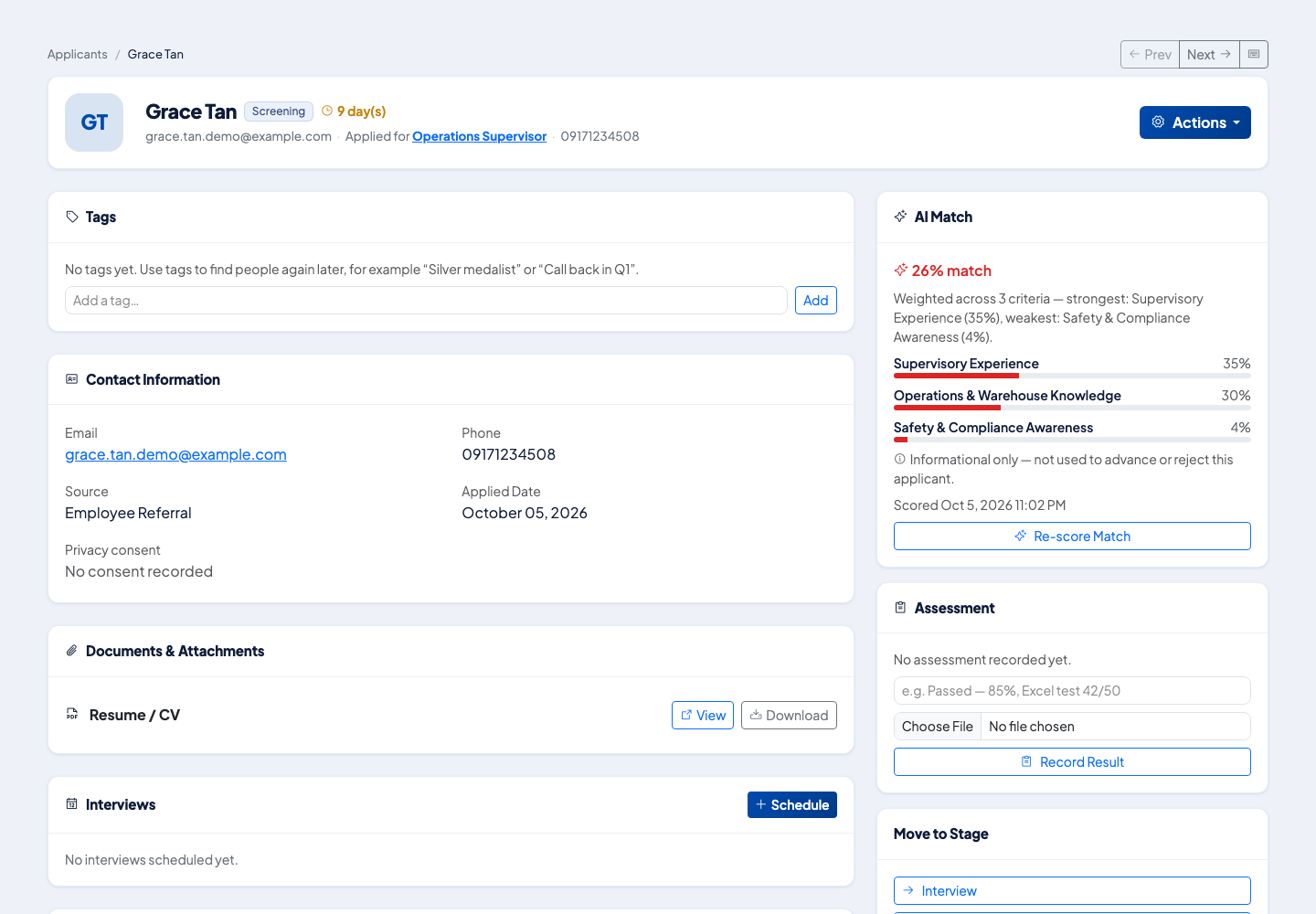 The applicant profile. Interviews and the stage actions are on the same page.
Next steps
Schedule interviews from the profile. See Schedule interviews and record feedback.
Questions people ask
What are the stages?
Applied, Screening, Interview, Assessment, Offer and Hired. An applicant can also be Rejected or Withdrawn.
Does the AI Match score decide who advances?
No. It is informational only. It is not used to advance or reject an applicant.
Can a stage have a deadline?
Yes. A stage can have a service level of 1 to 90 days. Applicants who sit past the deadline show as overdue.
What if someone applies twice?
The applicant profile shows a Duplicate Applications Detected notice for the same email address.