
Leave balance too low: block it or file it as leave without pay
When an employee files more leave than the balance allows, OneHRIS shows the available credits and stops the request, unless the employee files it as leave without pay or the company allows leave with zero balance.
What the employee sees
When the employee selects Review, the form checks the balance for the chosen leave type and dates and stops with a message if the credits are not enough.
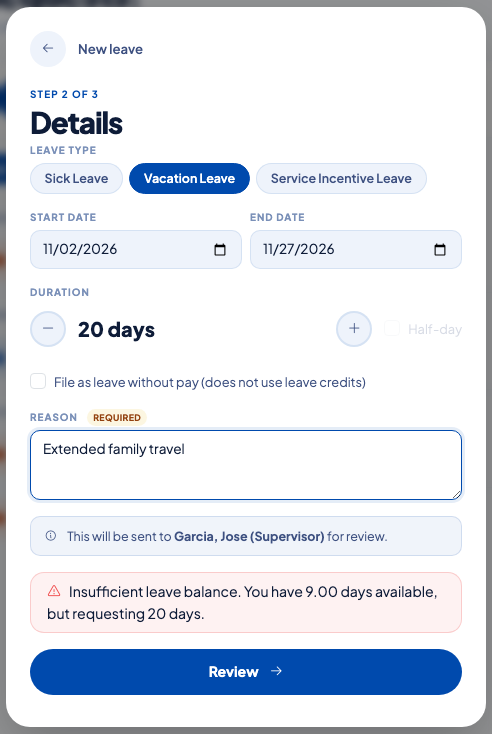 The available balance against the days requested. The request is not submitted.
The employee can then shorten the request, choose another leave type, or tick File as leave without pay (does not use leave credits).
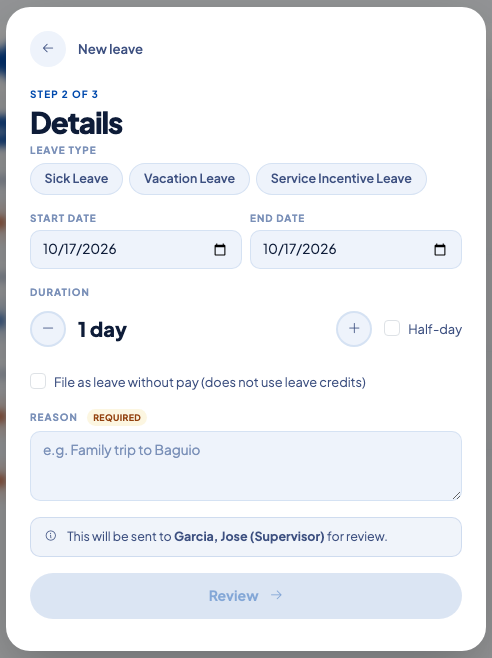 The unpaid option sits under the duration.
The Employee Portal also shows each leave type with its entitled, accrued, used, pending and available days.
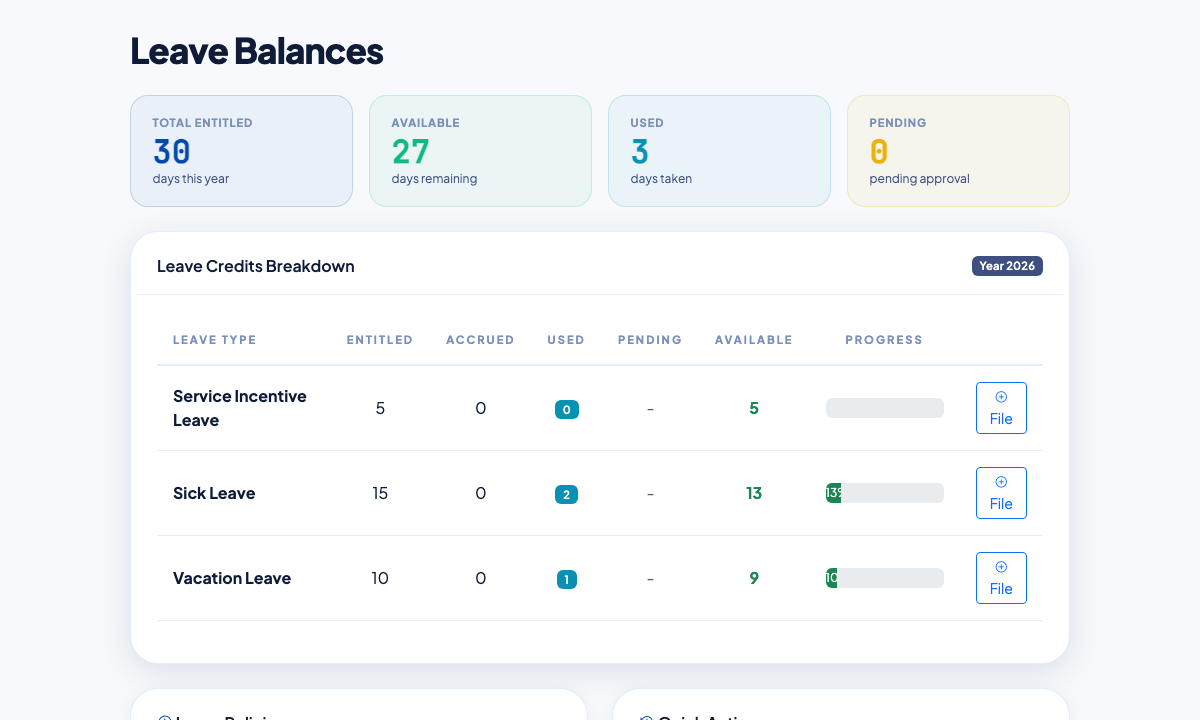 Balances by leave type, with a File button for each.
Let employees file with no credits left
- Open Settings, then Company, then the Attendance and Leave tab.
- In Leave Approval Routing, turn on Allow employees to file leave with zero balance.
- Select Save Changes.
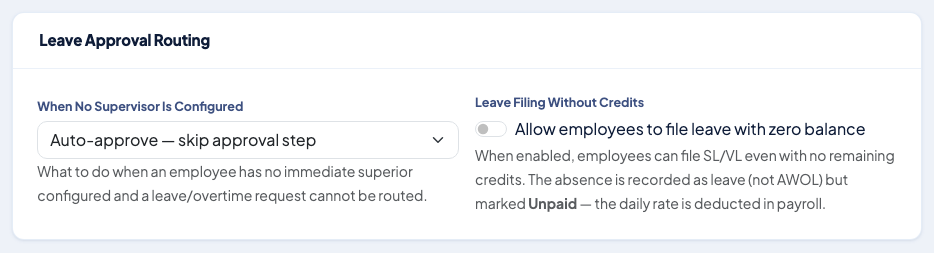 When it is on, the absence is recorded as leave and marked Unpaid.
When it is on, a request that the credits cannot cover is recorded as unpaid leave. The credits stay as they are, and payroll deducts the daily rate for those days.
What HR sees
Approvers review the request with the remaining balance next to it. Unpaid leave shows as Unpaid in the leave records and on the pay register, so the deduction can be traced. See Check and adjust leave balances and Approve or reject leave requests.
Questions people ask
What does the employee see when credits are not enough?
A message with the available days and the days requested, for example: "Insufficient leave balance. You have 9.00 days available, but requesting 20 days."
Does leave without pay use leave credits?
No. A request filed as leave without pay leaves the balances unchanged, and payroll deducts the daily rate for each day.
Is unpaid leave counted as an absence without leave?
No. It is recorded as leave and marked unpaid, so it is not treated as AWOL.
Where does HR turn on filing with zero balance?
Under Settings, then Company, in the Attendance and Leave tab, in Leave Approval Routing.