
Zero and negative net pay: how OneHRIS protects employees
When deductions exceed gross pay in a pay period, OneHRIS caps deductions so net pay never drops below zero. Excess deductions are carried to the next pay period or flagged for HR review.
When it happens
A pay period can produce low gross pay because of:
- Several days of unpaid leave or AWOL
- An extended absence in the 2nd half of the month when statutory deductions are scheduled
- A mid-period hire or separation leaving only a few days of earnings
- Multiple loan amortizations scheduled in the same period
How OneHRIS handles it
When the total of all scheduled deductions would push net pay below zero:
- Mandatory deductions are applied first in full: SSS, PhilHealth, Pag-IBIG, withholding tax.
- Loan and benefit deductions are applied next, stopping when gross pay is exhausted.
- Any deduction that cannot be taken is flagged on the pay register as Skipped — insufficient pay.
- HR sees the flag during pay register review and decides the resolution before approving the run.
The employee's payslip shows the deductions that were taken and a note that the remaining deduction was not collected.
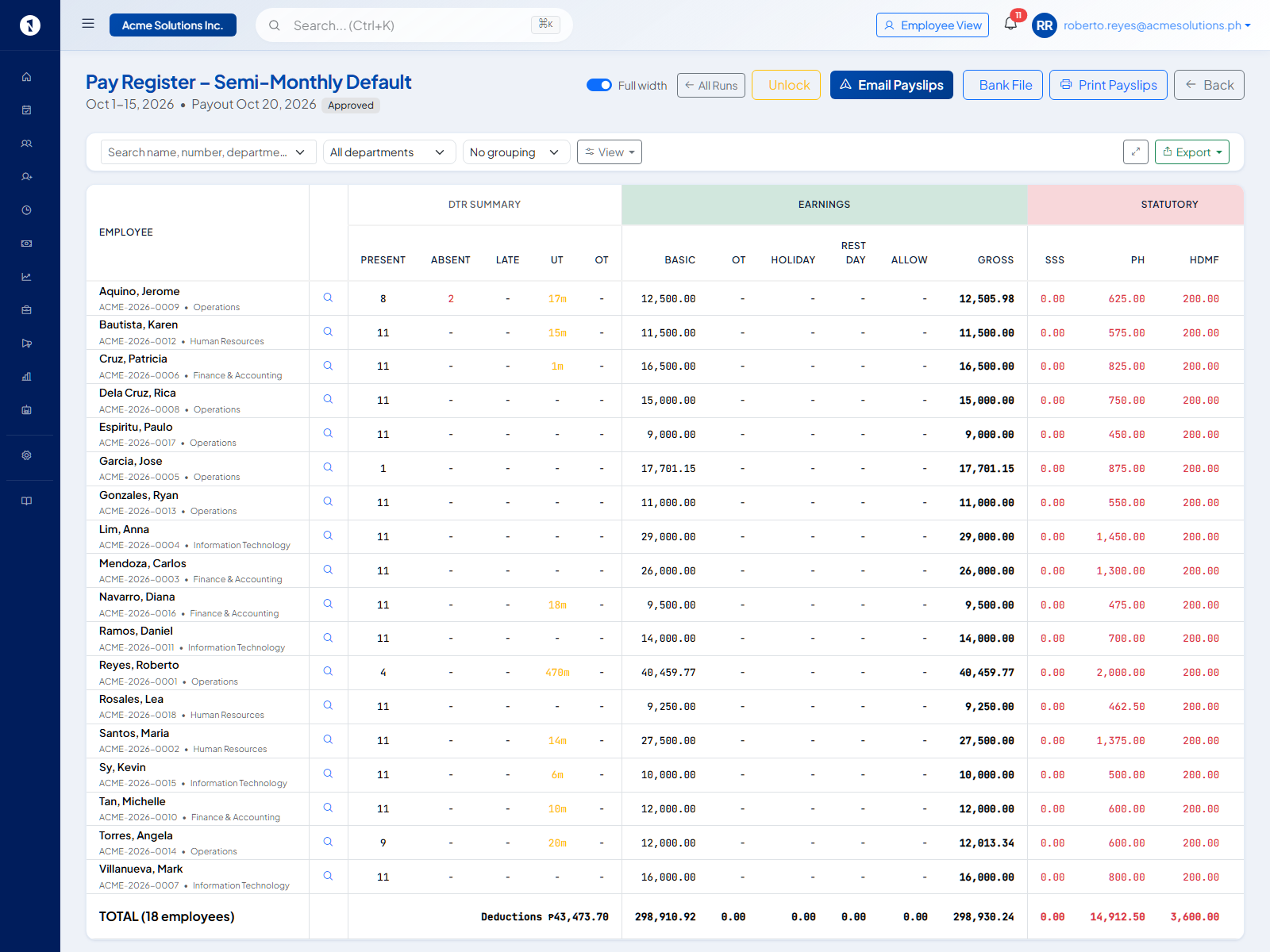
2nd half absence and statutory contributions
Statutory contributions are often scheduled entirely on the 2nd-half payroll (the month's full contribution amount deducted on the second payslip). If an employee takes unpaid leave for the full 2nd half of the month, their 2nd-half gross pay may not cover the statutory amount.
OneHRIS flags this situation. The contribution is still owed for the month — it was computed based on the full monthly basic salary — so HR typically carries the uncollected portion to the next pay period's deduction queue.
Carrying to the next period
HR can set a deduction to Carry Forward rather than skip. On the next pay period, the carried amount is added to the normal deduction schedule. To do this, open the flagged deduction on the pay register, select Carry to Next Period, and save before approving the run.
AWOL and final pay
An employee who goes AWOL may have zero or negative net pay across several periods and an outstanding cash advance. At separation, OneHRIS flags the record as collectible from the employee, generates zero net disbursement, and still issues an accurate year-end tax calculation for the income actually received. See how to compute an employee's final pay.
Questions people ask
Can net pay legally be zero?
Yes, if deductions are lawful and authorized. However, the Labor Code prohibits withholding wages in full as a penalty. Deductions must be for authorized purposes and cannot result in net pay that effectively withholds the employee's earned wages without a legal basis.
What deductions are prioritized when pay is tight?
Mandatory government deductions (SSS, PhilHealth, Pag-IBIG, withholding tax) have first priority. Company loans and voluntary deductions follow. OneHRIS applies deductions in this order and stops when the gross pay is exhausted.
What happens to a deduction that could not be taken?
It is flagged on the pay register. HR reviews it before approving the run and decides whether to carry it to the next period or handle it separately.
Sources
- Labor Code of the Philippines, Articles 113 to 118, wage deductions