
Put an employee on a performance improvement plan
A performance improvement plan records the reason, the improvement goals, the support given and a review date. It can be extended, completed or terminated with an outcome.
Available on Pro Enterprise
Create a plan
Open Performance, then PIPs, and select to create a new plan. The page is New Performance Improvement Plan. Fill in:
- Employee
- Reason for PIP, describing the performance gap or behavior
- Improvement Goals, specific and measurable, with timelines
- Support and Resources, such as training, coaching or tools
- Start Date
- Review Date, when HR or the manager reviews progress
The page lists best practices: set SMART goals, schedule regular check-ins, document progress with notes, and record the outcome at the review date.
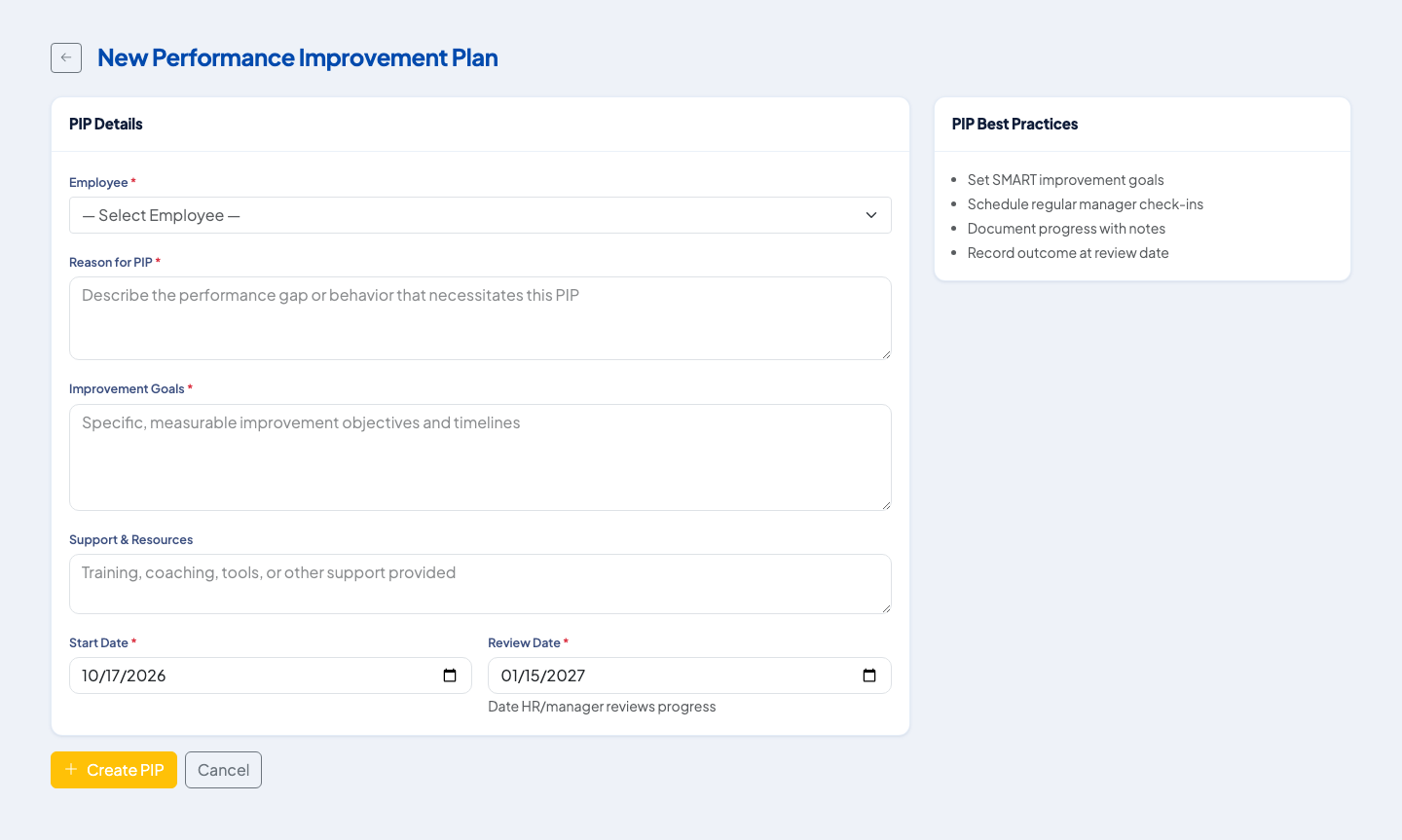 The plan form, with the best practices listed beside it.
Statuses
A new plan is Active. From there:
- Extend it with a new review date. The status becomes Extended.
- Complete it and record the outcome.
- Terminate it and record the outcome.
A plan that is already completed or terminated cannot be changed again.
Notes and follow-up
Add progress notes on the plan at each check-in. They stay with the plan, so the review date discussion has a written history.
Link to the appraisal
A review can be marked as having a PIP. Use that when a rating shows a gap that needs a formal plan, and keep the employee's own acknowledgement of the plan on file. For legal steps before any dismissal, see Probationary employment and regularization and the DOLE due-process rules.
Questions people ask
What statuses does a PIP have?
Active, Extended, Completed and Terminated.
Can a PIP be extended?
Yes, by setting a new review date, while it is Active.
Is the outcome recorded?
Yes. Completing or terminating a PIP requires an outcome.
Who can manage PIPs?
HR and managers with the PIP management permission.