
Set up an employment contract
An employment contract links the employee to a position, a work schedule, a salary and their government contribution tables. Payroll cannot run for an employee without an active contract.
Create a contract
- Open the employee record and go to the Contract tab.
- Select New Contract. You can also open Contracts in the People menu and select New Contract.
- Fill in the contract type (Regular, Probationary, Project-based or others your company uses), the start date, position, job level and work schedule.
- Set the pay type (Monthly or Daily) and the basic salary.
- Add any fixed allowances that appear on every payslip.
- Select Save as Draft to keep it unfinished, or Submit for Approval to send it through the contract approval workflow.
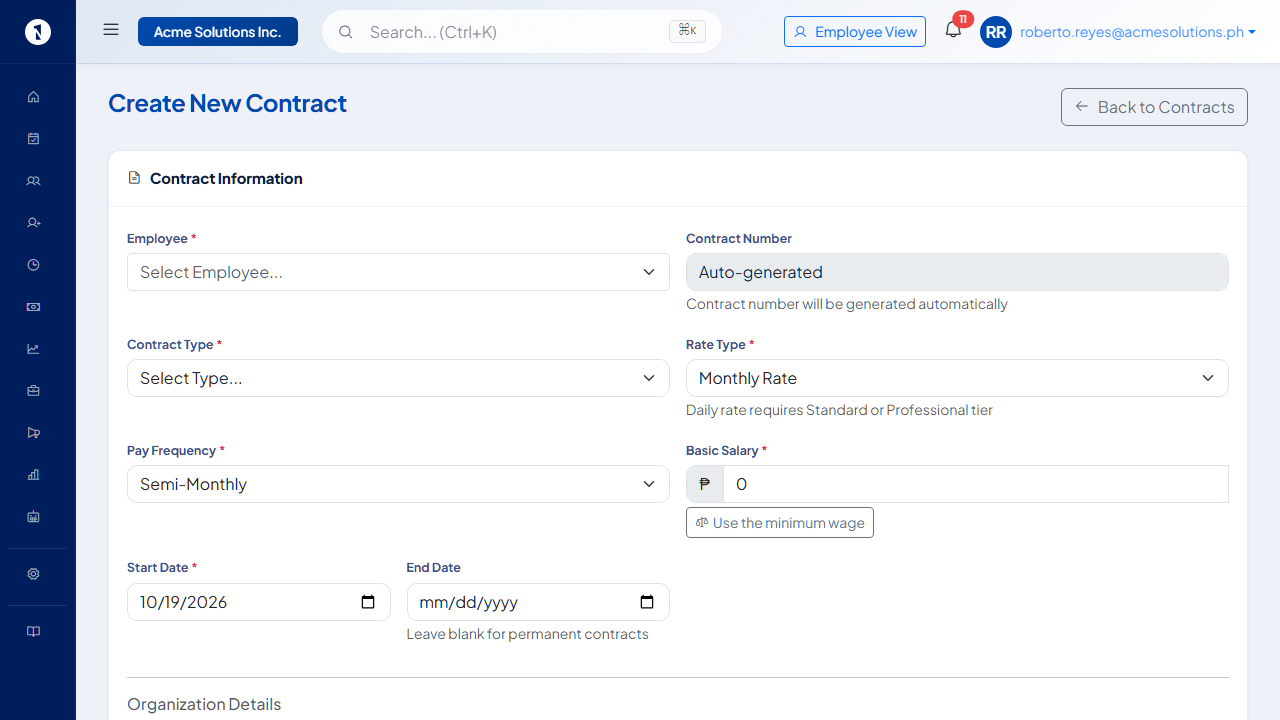 A contract is required before the employee appears in payroll. Use the minimum wage shortcut if the employee is paid at the regional floor.
Regularize a probationary employee
Regularization is recorded on the contract. Create a new contract with the regular contract type that starts on the regularization date. Only one contract can be active at a time. To have OneHRIS regularize automatically, turn on Auto-regularize on completion under Settings, then Probationary Policy. Leave types can start accruing from the regularization date. See probationary employment and regularization.
Update the salary
For a salary increase or change during employment, open the active contract from the Contract tab of the employee record and select Edit Contract. The contract's Version History lists its versions.
Contributions
SSS, PhilHealth and Pag-IBIG contributions are applied from the statutory tables OneHRIS maintains. You can see the rates under Settings, then Government Compliance, which is read-only. See employer and employee shares of government contributions.
Questions people ask
Can an employee have more than one contract?
Yes, but only one contract can be active at a time. When a contract ends and a new one starts, create a new contract with the new start date. The old one ends automatically.
What work schedule should I choose?
The work schedule sets the expected hours each day and is used to compute late minutes, undertime and overtime. Choose the schedule that matches the employee's actual working hours.
What happens to payroll if the contract has no salary?
The payroll computation produces zero basic pay for the employee. Add the salary to the contract and re-run before approving payroll.
Can a contract be changed after payroll has run?
Yes. Changes only affect future payroll runs. Completed runs are not retroactively changed.